
The way your text looks can shape how people feel about your site. A clean, readable font makes all the difference and with WordPress, but WordPress cannot do that. In this post, we’ll share 5 Best WordPress Plugins to Upload or Use Google Fonts to help you easily upload and manage google fonts and improve your site’s style.
Why Should Use Plugin to Upload Fonts?
Your website’s typography plays a crucial role in its overall design. Choosing the right fonts can make your content more engaging and encourage visitors to spend more time on your site.
However, WordPress doesn’t support that. Meanwhile, you can do much more, like adding subtitles, using drop caps, including footnotes, allowing users to adjust font size, and more. So, how you do that?
By using the right WordPress plugins, you can easily upload your favourite fonts, even Google Fonts without needing to write any code. You can even add custom fonts directly from your local WordPress Dashboard to speed up your site.
Now, let’s explore some of the Best WordPress Plugins to Upload or Use Google Fonts that can help elevate your website’s design.
1. Local Font Uploader
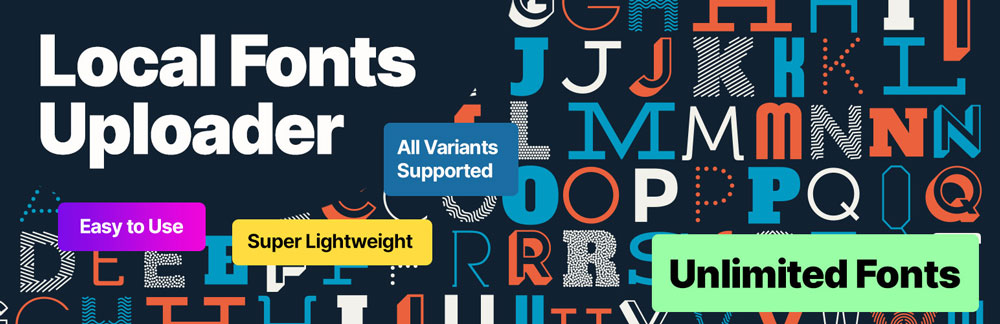
Want to make your WordPress site “boom”? Local Font Uploader makes it a breeze to upload custom fonts with zero coding skills required. Whether it’s TTF, OTF, or WOFF, this plugin lets you easily personalize your typography. Just upload and let the styling begin!
This can also boost your site’s performance with the best free font upload plugin for WordPress. Easily upload and host unlimited fonts locally for faster load times, improved SEO, and full GDPR compliance, lightweight, powerful, and hassle-free!
Because of reduced external requests and improved page load times by uploading and hosting fonts directly on your WordPress server. Say goodbye to slow third-party font services and take control of your website’s performance.
I believe everyone will love this thing. With the plugin, you get access to all its powerful features without hidden fees or restrictions. Enjoy complete font control with no extra costs, making it a truly valuable tool for your website.
Moreover, Local Font Uploader works flawlessly with our premium themes, allowing you to apply custom fonts effortlessly without writing a single line of code.
2. Google Fonts for WordPress

Google Fonts for WordPress offers over 1,455 stylish fonts that you can easily apply to your site. The plugin provides a live preview for each font, making it simple to select the perfect one for your headings and content.
It supports Adobe Fonts integration and allows you to upload custom fonts. You can also adjust font size, color, weight, and line height within the plugin settings.
The plugin follows a “freemium model”, basic features are free, while premium options include Adobe Fonts integration, faster font loading, SEO-friendly features, and selective font loading.
Overall, Google Fonts for WordPress is a powerful tool for customizing your website’s typography, offering a wide range of fonts and user-friendly features that work with any WordPress theme.
3. Custom Fonts

Custom Fonts is a free WordPress plugin that helps you upload and host fonts locally, especially no need to rely on third-party services like Google Fonts. This gives you more control over your site’s typography while improving loading speed and SEO performance.
The plugin supports both custom fonts and Google Fonts, and you can upload multiple variants to match your design needs. Whether you’re building a bold headline or crafting clean body text, flexibility is key.
Privacy matters, too. Hosting fonts locally means you’re GDPR-compliant and not leaking user data through external font requests.
It integrates seamlessly with Full Site Editing (FSE) themes and works perfectly with popular themes like Astra and Spectra One. It also plays nicely with page builders like Spectra and Elementor.
For bloggers, developers, and anyone serious about design and site performance, Custom Fonts is a no-cost, no-strings-attached solution that gives you full control over your site’s typography.
4. Yabe Webfont

Ladies and Gentlemen, meet Yabe Webfont, a WordPress plugin that makes handling fonts feel less like a chore and more like a creative joyride.
Love Google Fonts? Prefer Adobe Fonts? Why not both? This plugin lets you use any font from those libraries. Whether you’re a developer or just starting out, the no-code interface makes it super easy to add and manage fonts without needing FTP or custom CSS.
Want control? You get it. Adjust font weight, line height, and more. The plugin is fast, lightweight, and uses the WordPress REST API for a smooth experience. It even supports variable fonts and works perfectly with Multisite.
If you want clean typography, better performance, and total font freedom all from one plugin, Yabe Webfont is a stylish no-brainer. Give your website the fonts it truly deserves.
5. FontPress

Say hello to FontPress, the custom font plugin that kicks boring typography to the curb. If your site’s been crying out for a font glow-up, this one’s ready to answer the call (no design degree required).
It supports Google Fonts, Adobe Fonts, and lets you upload your own custom fonts. Have a font that screams your style? Bring it to the party! You know what? This plugin welcomes TTF, OTF, and WOFF like they’re VIP guests at a typography celebration.
With power in your hands, you can adjust font size, line height, and letter spacing all without needing a single line of code. Watch your changes come to life in real time, courtesy of the Customizer’s wizardry.
It’s fully responsive, so your fonts will shine on phones, tablets, and even your grandma’s vintage laptop. And yes, it’s a “freemium model”. You get plenty of awesome features for free, with even more perks in the premium version. I’m pretty sure you won’t regret this.
Conclusion
In conclusion, WordPress Plugins to Upload or use Google Fonts are your secret weapon for making your website’s typography pop. With these plugins, you can experiment with a vast array of fonts, boost your site’s performance, and stay on top of privacy regulations all at once.
Whether you’re a web designer, a blogger, or running an eCommerce store, these plugins are game-changers. We highly recommend testing them out to find the perfect fit for your needs. So go ahead, give your website the font makeover it deserves! Have a nice day!!!